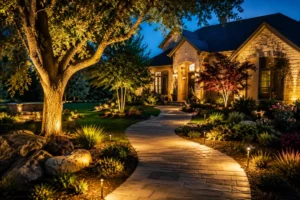
A landscape lighting project can look simple from the outside. Choose a few fixtures, place them around the yard, connect a transformer, and switch everything on.
In practice, the cost depends on much more than the number of lights.
Fixture quality, installation difficulty, cable length, transformer capacity, controls, hardscape, mature tree roots, property size, and the number of lighting zones can all affect the final price. That is why a landscape lighting cost calculator can be so useful during the early planning stage.
The calculator gives you a practical estimate before you meet with an installer or start purchasing equipment. It can help you compare fixture combinations, evaluate different quality levels, estimate transformer capacity, and understand the likely monthly electricity cost of your proposed system.
It does not replace a professional onsite assessment. However, it gives you something extremely valuable: a realistic starting point.
Use the Landscape Lighting Cost Calculator
Use the calculator below to estimate the cost of your outdoor lighting project.
Enter the property type, project area, fixture quantities, installation difficulty, fixture quality, optional controls, nightly operating time, and electricity rate. The results should update as you change your selections.
You do not need to create one perfect estimate on your first attempt. In fact, the tool is often more useful when you run several different scenarios.
For example, you might calculate:
- A small front-entry lighting system
- A complete front-yard design
- A front-and-backyard project
- A phased installation completed over several years
- A premium architectural-grade system
- A simpler system using fewer fixtures
By comparing those results, you can see which design is most realistic for your property and budget.
What the Calculator Estimates
The calculator evaluates several parts of a landscape lighting project instead of focusing only on fixture prices.
Depending on the selections entered, it can estimate:
- Total fixture and equipment cost
- Professional installation cost
- Transformer, wiring, connectors, and basic system materials
- Smart controls and additional zones
- Removal of an existing lighting system
- Difficult trenching or hardscape work
- Recommended transformer size
- Total connected LED wattage
- Monthly electricity consumption
- Monthly and annual energy cost
- An estimated low-to-high project range
The final range is usually more useful than a single number. Outdoor lighting projects contain too many site-specific variables for an online tool to promise an exact price.
A calculator can estimate a typical installation. It cannot see the roots beneath your lawn, the thickness of your concrete, the distance between the transformer and the farthest fixture, or the condition of the existing electrical supply.
That is why the result should be treated as a planning estimate rather than a contractor quote.
How to Use the Landscape Lighting Cost Calculator
Choose the Property Type
Start by selecting either residential or commercial.
Most homeowners will select residential. Commercial properties may require more durable fixtures, longer cable runs, more zones, larger transformers, and additional installation labor.
Commercial lighting may also need to serve several purposes at once. It can improve visibility, guide visitors, illuminate signage, highlight architecture, and provide added coverage around entrances and parking areas.
Because of those requirements, the calculator may apply a higher cost factor to commercial projects.
Select the Main Project Area
Next, choose the area you want to illuminate.
Common options include:
- Front yard
- Backyard
- Front and backyard
- Full property
- Pool or patio area
- Driveway and entry
- Commercial exterior
This selection helps define your intended project scope. However, the actual fixture quantities will have a greater impact on the estimated price.
A front-yard project with 18 fixtures may cost more than a full-property project using only 10 fixtures. The area selection provides context, while fixture count, quality, and installation conditions drive most of the calculation.
Choose the Fixture Quality
The calculator may allow you to select standard, premium, or architectural-grade fixtures.
These categories are not only about appearance.
Fixture quality may influence:
- Housing material
- Finish durability
- Resistance to corrosion
- Lens and gasket quality
- Water protection
- Beam control
- LED performance
- Warranty coverage
- Expected service life
Standard fixtures may be suitable for smaller projects or limited budgets. Premium fixtures typically offer better construction, more reliable finishes, and improved optics.
Architectural-grade fixtures are generally chosen when appearance, precise beam control, long-term performance, and durability are top priorities.
Texas conditions can be hard on outdoor equipment. Heat, moisture, irrigation, soil movement, insects, and sudden storms all place stress on fixtures and connections. Paying more for better components may reduce replacement and maintenance problems later.
Use the calculator to compare all three levels. The lowest initial estimate is not always the lowest long-term cost.
Select the Installation Difficulty
Installation conditions can dramatically change the amount of labor required.
An easy-access property may have open planting beds, soft soil, short cable runs, and an electrical source close to the lighting area.
A typical Texas property may include turf, planting beds, moderate cable distances, irrigation lines, tree roots, and a mixture of soft and compacted soil.
A complex installation may involve:
- Concrete or stone hardscape
- Mature tree-root systems
- Retaining walls
- Multiple elevation changes
- Long cable runs
- Limited access
- Existing damaged wiring
- Pool areas
- Dense planting
- Difficult transformer placement
Select the option that most closely reflects your property. Choosing easy access simply to lower the estimate will make the result less useful.
When uncertain, the typical-property setting is usually the most reasonable starting point.
Enter the Fixture Quantities
The fixture section is where you begin building your lighting design.
Use the plus and minus controls to add or remove fixtures from each category.
Architectural Uplights
Uplights are often installed at ground level and aimed toward architectural details, mature trees, columns, walls, or rooflines.
They can add height, depth, and visual drama. However, placement matters. Too many uplights can flatten the building and make every surface equally bright.
A thoughtful design uses them selectively to reveal texture and shape.
Path and Driveway Lights
Path lights help guide movement through walkways, garden paths, entries, and driveways.
They should provide enough illumination for visibility without creating a row of glaring fixtures. Spacing, mounting height, and the shape of the light distribution are important.
Path lights are commonly used around:
- Front walks
- Side-yard paths
- Driveway edges
- Garden routes
- Steps
- Entry courtyards
Garden and Tree Lights
Garden and tree lighting can give a landscape depth after sunset.
Tree lights may illuminate trunks, branches, or canopies. Garden lights may highlight ornamental plants, stone features, sculptures, or planting beds.
These fixtures often create the layered appearance associated with a professionally designed system.
Step and Deck Lights
Step and deck fixtures are useful around changes in elevation.
They may be installed in:
- Stair risers
- Deck posts
- Retaining walls
- Seat walls
- Patio edges
- Outdoor kitchens
They improve visibility while keeping the light source discreet.
Pool and Water-Feature Lights
Pool-area lighting requires careful planning. The design must account for reflections, wet locations, nearby electrical equipment, walking surfaces, and the appearance of the water at night.
These fixtures may cost more to install because the work can involve more demanding safety and placement considerations.
An online calculator can provide a preliminary estimate, but pool and water-feature projects should always receive a property-specific review.
Security and Floodlights
Floodlights can cover larger areas such as gates, side yards, driveways, service areas, and rear property lines.
They can be useful, but brightness must be controlled. A poorly aimed floodlight can cause glare, disturb neighbors, and make the rest of the lighting design feel harsh.
Use them where broad coverage is truly needed rather than as a replacement for a layered lighting plan.
Add the Appropriate System Options
The calculator may include several optional features. Select only the ones that apply to your project.
Smart Lighting Controls
Smart controls can provide scheduling, zone management, remote operation, dimming, and integration with other home systems.
They are especially useful when different areas need different schedules. For example, the front entry may stay illuminated later than the backyard entertainment area.
Additional Lighting Zone
A separate zone allows one portion of the system to operate independently.
You may want individual zones for:
- Front-yard lighting
- Backyard lighting
- Pool and patio lighting
- Security fixtures
- Tree lighting
- Seasonal or entertainment settings
Zones can improve flexibility, but they may require extra controls, cable planning, or transformer capacity.
Existing-System Removal
Select this option when damaged, outdated, or abandoned fixtures and wiring must be removed before the new installation begins.
Removing an old system can take more time than expected, especially when the original cable routes are unclear.
Difficult Hardscape or Trenching
Choose this option when installation may require routing cable around or beneath pavers, concrete, stone paths, retaining walls, driveways, or heavily compacted areas.
Hardscape work can increase labor and may require specialized methods to avoid unnecessary damage.
Future Expansion Capacity
This option is valuable when the project may grow later.
You might install front-yard lighting now and add the backyard, pool, or mature trees in a second phase. Leaving transformer capacity available can make future expansion easier.
However, spare transformer capacity does not automatically mean the original cable layout can support every future addition. The professional design should still account for voltage drop, cable gauge, and future fixture locations.
Enter the Nightly Operating Hours
Choose how long you expect the system to operate each evening.
A common schedule might run from dusk until midnight. That may equal approximately five to seven hours depending on the season.
Other homeowners keep certain zones operating throughout the night. Security fixtures, entries, and driveway lighting may run longer than decorative garden lights.
Try different operating schedules in the calculator.
For example:
| Schedule | Typical Use |
|---|---|
| 4 hours nightly | Short evening display |
| 6 hours nightly | Dusk through late evening |
| 8 hours nightly | Extended nighttime use |
| 12 hours nightly | Dusk-to-dawn operation |
Smart controls and separate zones can reduce unnecessary energy use. Instead of operating every fixture all night, you can keep essential areas active and switch decorative zones off earlier.
Enter Your Electricity Rate
Your electricity rate is usually shown on your utility bill as a cost per kilowatt-hour.
Enter that rate into the calculator to estimate monthly and annual energy costs.
The calculation is based on the total connected wattage, nightly operating hours, number of operating days, and your electricity rate.
LED landscape lighting generally uses relatively little electricity compared with many other household systems. Still, the operating cost rises as fixture count, wattage, and nightly runtime increase.
The calculator allows you to see the difference immediately.
How to Read the Calculator Results
Estimated Project Range
The largest result will usually be the estimated project range.
For example:
$5,200–$6,500
This range may include fixtures, installation labor, transformer equipment, basic wiring, connectors, selected controls, and other chosen options.
The estimate is displayed as a range because several final costs remain unknown until the property is inspected.
The final proposal may change based on:
- Actual cable distances
- Transformer location
- Soil conditions
- Fixture brand
- Access limitations
- Existing electrical capacity
- Hardscape
- Irrigation conflicts
- Final beam angles
- Project scheduling
Use the range to evaluate affordability and compare different project versions.
Total Fixture Count
The fixture count provides a quick picture of project scale.
A system with fewer than 10 fixtures may focus on one entry, facade, or patio. A project with 15 to 25 fixtures may cover the front yard or several outdoor features.
Larger properties may require 30 or more fixtures, especially when the design includes architecture, trees, pathways, pool areas, and security lighting.
However, more fixtures do not automatically create a better result. Placement matters more than raw quantity.
Recommended Transformer Size
A low-voltage landscape lighting transformer reduces household voltage to the lower voltage used by the outdoor system.
The calculator estimates a transformer size based on the total fixture wattage and a safe operating margin.
For example, imagine the selected fixtures use a combined 120 watts. The calculator may recommend a transformer larger than 120 watts rather than matching the connected load exactly.
That extra capacity helps avoid continuously operating the transformer at its limit. It may also provide some room for future additions.
The transformer recommendation remains preliminary. A professional still needs to evaluate cable lengths, voltage drop, load distribution, zones, and fixture locations.
Connected LED Load
The connected load is the combined wattage of all selected fixtures.
For example:
- Six uplights at 6 watts each equal 36 watts
- Six path lights at 4 watts each equal 24 watts
- Four tree lights at 7 watts each equal 28 watts
The total connected load would be 88 watts before adding any other fixtures.
Connected load influences both transformer selection and energy use.
Monthly and Annual Energy Cost
The calculator estimates how much electricity the proposed lighting system may consume.
A simplified formula is:
Total watts × nightly hours × 30 days ÷ 1,000 = monthly kilowatt-hours
The result is multiplied by your electricity rate.
Actual energy use may differ due to seasonal schedules, dimming, photocell operation, timer settings, and separate zones.
Still, the estimate is useful for comparing a six-hour schedule with dusk-to-dawn operation.
Itemized Cost Breakdown
The breakdown may separate the project into:
- Fixtures and equipment
- Professional installation
- Transformer, wiring, and materials
- Controls and additional options
- Estimated subtotal
This makes the tool more useful than a single total.
You can see which decisions have the largest effect on cost. For example, switching to architectural-grade fixtures may increase equipment spending, while difficult trenching may increase labor and installation expenses.
The Perfect Uses for a Landscape Lighting Cost Calculator
The calculator is not only for finding one estimated price. Its best use is comparison.
Creating an Early Budget
Use the tool before contacting contractors to determine whether your expected budget matches the size of the project.
You may discover that a complete full-property system is beyond the current budget, while a well-designed front-yard phase is realistic.
That is useful information. It allows you to approach the consultation with clearer priorities.
Comparing a Small Project With a Full Design
Run a focused estimate using only entry, pathway, and facade fixtures.
Then create a second version that includes mature trees, backyard lighting, pool areas, and security fixtures.
Compare the results.
This shows the cost of expanding the system and helps you decide which areas offer the greatest practical or visual value.
Testing Fixture Quality Levels
Calculate the same fixture layout using standard, premium, and architectural-grade options.
The difference can help you decide where quality matters most.
You may choose architectural-grade uplights for the home’s facade while using premium path fixtures elsewhere. A professional installer may be able to refine the specification further.
Planning the Project in Phases
Phased installation is one of the most practical uses of the calculator.
A possible plan might look like this:
| Phase | Scope |
|---|---|
| Phase one | Entry, front facade, and walkway |
| Phase two | Mature trees and side-yard paths |
| Phase three | Backyard, patio, and pool |
| Phase four | Additional controls and security zones |
Calculate each phase individually, then estimate the complete system.
This approach can help you plan transformer capacity and cable routes before the first installation begins.
Estimating Transformer Needs
The transformer calculator helps prevent one of the most common planning mistakes: choosing equipment based only on fixture count.
Ten fixtures do not always require the same transformer. Ten low-wattage path lights may use far less power than ten high-output floodlights.
The combined wattage matters.
Use the recommendation as a preliminary guide, then ask the installer to confirm the final transformer size and load distribution.
Comparing Energy Schedules
Run the calculator at six hours per night. Then change the setting to 12 hours.
The difference shows how operating schedules affect long-term electricity use.
You can also evaluate whether smart controls or separate zones may be worthwhile.
Preparing for a Contractor Consultation
Save or record the selected fixture quantities and estimated project range.
During the consultation, discuss:
- Areas you want illuminated
- Preferred fixture quality
- Expected operating schedule
- Smart controls
- Future project phases
- Transformer capacity
- Existing system removal
- Hardscape or access challenges
The estimate gives the discussion structure. It does not lock the contractor into the calculator’s result.
Example Texas Landscape Lighting Project
Consider a residential project with:
- Six architectural uplights
- Six path lights
- Four tree lights
- Two security lights
- Premium fixture quality
- Typical installation difficulty
- Smart controls
- Six nightly operating hours
The system contains 18 fixtures.
Using typical LED wattages, the connected load may be approximately:
| Fixture Type | Quantity | Estimated Wattage |
|---|---|---|
| Architectural uplights | 6 | 36 watts |
| Path lights | 6 | 24 watts |
| Tree lights | 4 | 28 watts |
| Security lights | 2 | 30 watts |
| Total | 18 | 118 watts |
The calculator may recommend a transformer larger than the 118-watt connected load to provide operating headroom and possible future expansion.
It will also estimate fixture costs, labor, infrastructure, controls, and monthly energy use.
Change the fixture quality from premium to architectural grade and the estimated equipment cost will rise. The connected wattage may remain the same because fixture quality and fixture power are separate inputs.
This comparison helps you understand whether your budget increase is purchasing more lights, better equipment, more complex installation, or additional system features.
What the Calculator Cannot See
No online tool can fully evaluate a property.
The calculator cannot inspect:
- Exact cable routes
- Buried utilities
- Irrigation lines
- Drainage systems
- Mature roots
- Existing electrical faults
- Transformer mounting locations
- Voltage-drop conditions
- Hardscape thickness
- Fixture glare
- Neighboring properties
- Final aiming angles
- Local installation requirements
It also cannot judge the visual balance of the finished design.
Two projects may use the same number of fixtures and have completely different results. One may feel layered, subtle, and intentional. The other may appear overly bright and uneven.
Professional design involves more than calculating costs. It includes selecting fixture locations, beam spreads, output levels, color temperature, mounting methods, zones, and nighttime adjustments.
Common Estimating Mistakes
Avoid these problems when using the calculator:
- Counting fixtures but ignoring transformers and wiring
- Selecting fixture quality based only on the lowest price
- Underestimating installation difficulty
- Forgetting existing-system removal
- Ignoring future expansion
- Assuming all fixtures use identical wattage
- Excluding controls and zones
- Treating the estimate as a guaranteed quote
- Adding fixtures without a clear lighting purpose
- Forgetting nighttime aiming and adjustment
The goal is not to create the biggest fixture list. The goal is to build a realistic project scope.
DIY Estimates Versus Professional Installation
The calculator can help with both DIY and professionally installed systems, but the two approaches are not equivalent.
| Consideration | DIY System | Professional System |
|---|---|---|
| Initial spending | Usually lower | Usually higher |
| Lighting design | Based on homeowner experience | Planned around architecture and landscape |
| Cable layout | Homeowner responsibility | Designed around load and distance |
| Transformer sizing | Can be miscalculated | Evaluated with system requirements |
| Fixture placement | Often adjusted through trial and error | Selected using beam spread and viewing angles |
| Nighttime adjustment | May be skipped | Commonly part of commissioning |
| Troubleshooting | Homeowner managed | May include professional support |
| Warranty | Product dependent | May include product and labor coverage |
A DIY project may work well for a small path or garden area. Larger systems become more complicated as cable distances, transformer loads, hardscape, controls, and voltage drop increase.
Use the calculator to understand project scale before deciding which route is appropriate.
How to Lower Cost Without Weakening the Design
Reducing cost does not always require using the cheapest fixtures.
A better approach is to simplify the design strategically.
Consider these methods:
- Prioritize the entry, facade, and main walkways
- Illuminate focal points instead of every plant
- Use fewer fixtures with better placement
- Complete the project in phases
- Separate essential fixtures from optional additions
- Use timers or smart controls
- Plan future transformer capacity
- Avoid overlapping beams that provide the same effect
- Request an itemized proposal
- Maintain existing quality fixtures when practical
A smaller, well-designed system can look better than a larger system with poor placement.
When to Request a Professional Lighting Plan
A professional assessment becomes especially important when:
- The design includes more than 20 fixtures
- The property has a pool or water feature
- Multiple zones are required
- Long cable runs are expected
- The site contains mature trees
- Hardscape limits trenching access
- Architectural-grade results are desired
- Existing lighting must be removed
- Smart-home integration is planned
- The installation will be completed in phases
These projects benefit from a complete design rather than fixture-by-fixture guessing.
Use the Estimate as a Starting Point
A landscape lighting cost calculator gives you an efficient way to explore your options before making a major decision.
Use it to compare project areas, fixture quality levels, installation conditions, transformer sizes, operating schedules, and future phases. Run several versions rather than relying on the first total you see.
Then use your preferred result as the starting point for a professional conversation.
An onsite lighting plan can confirm the final fixture count, placement, beam angles, cable routes, transformer capacity, controls, installation challenges, and exact pricing.
The calculator helps you prepare. The professional design turns that early plan into a lighting system that works beautifully after sunset.