
Interactive simulator
Landscape Lighting Design Simulator
Switch lighting zones on a real Texas home, dim them, change color temperature and try smart scenes — the same layering decisions a lighting designer makes on site.
Lighting Design Simulator
Switch zones on, dim them, change color temperature or pick a scene.
Zones on: 0Approx. fixtures: 0LED load: 0 WCost to run: $0/mo
What the Simulator Shows
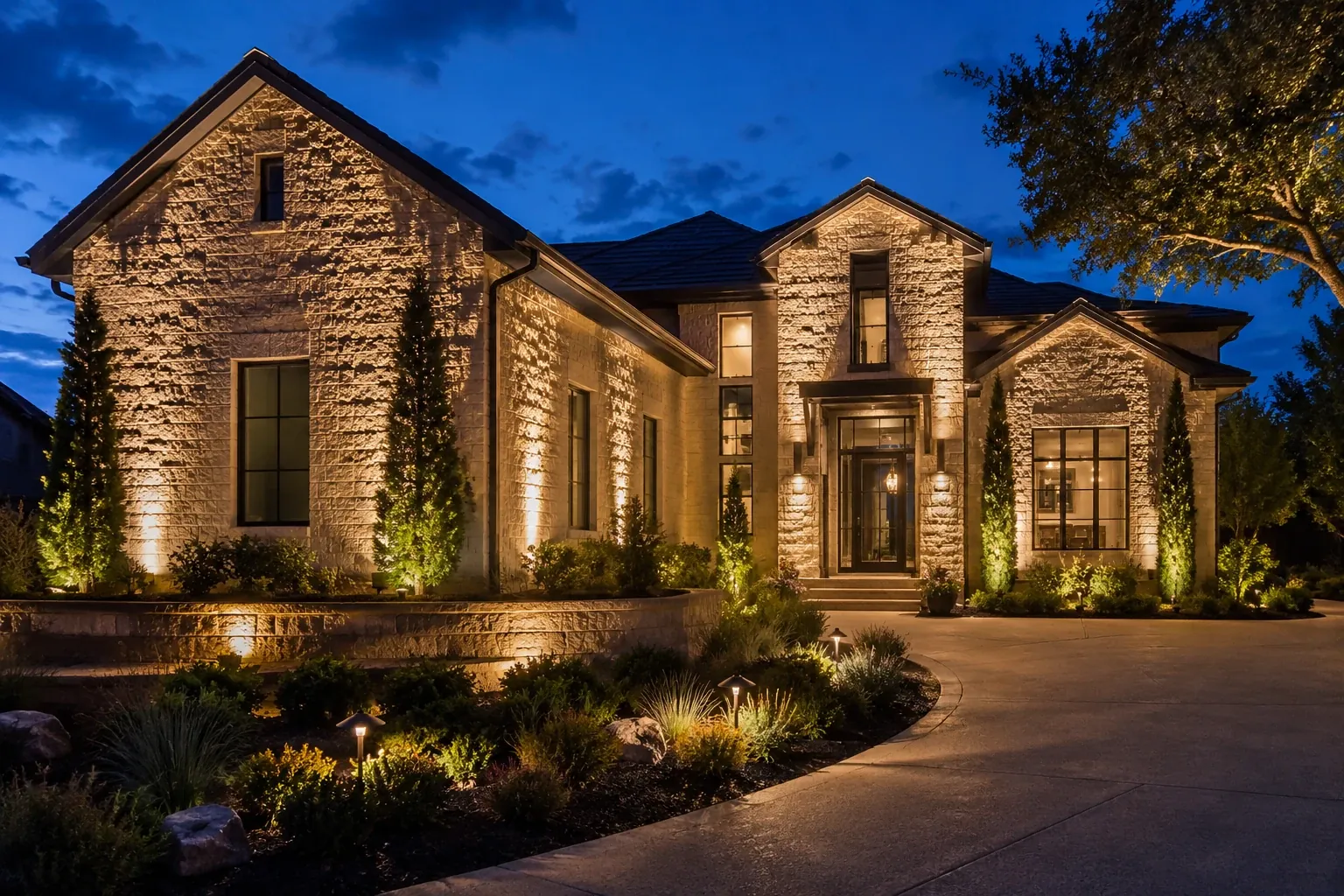
Professional landscape lighting is built in layers. Each button in the simulator controls one layer on a real stone home photographed at night:
- Facade uplights graze the stone and columns, giving the house shape and texture. This is the layer that creates curb appeal from the street.
- Tree uplights frame the home and add depth. Large trees usually need two or three fixtures so the canopy does not look flat.
- Path & beds light the walk and planting beds — the safety layer and the one guests notice first.
- Entry & windows warm the front door so the home reads as welcoming rather than spotlit.
- Shrub accents fill the middle ground so there are no black holes between the house and the street.
Try switching on only the facade, then add the trees and the paths. Notice how the scene goes from “lit house” to “lit property.” That balance — not brightness — is what makes a design look expensive.
Scenes, Dimming and Color Temperature
The scene buttons mimic what a smart lighting system can do on your phone: a bright Entertaining scene for guests, a Late night scene that keeps only the path on at low output, and a Security scene that brightens entries and walks. The dimmer shows how much atmosphere you gain by running lights at 60–80% instead of full power, and the color temperature slider shows why most Texas homes look best at 2700K. Read more in our color temperature guide.
From Simulator to Your Home
The fixture and wattage readout is a rough guide for a home of this size. Your property will be different — which is why every Landscape Lighting Texas design starts with a free dusk consultation. Use the cost calculator to turn the fixture count into a planning budget.
FAQ
Frequently Asked Questions
Is the simulator accurate for my home?
It shows how lighting layers work together on a typical Texas stone home. Your design will be tailored to your architecture, trees and sightlines during the dusk consultation.
How many fixtures does a typical home need?
Front-yard designs often use 12–20 fixtures; full front-and-back designs commonly run 20–40. Large estates use more.
Can I really control scenes from my phone?
Yes. Smart transformers and controllers let you schedule, dim and switch zones and scenes from an app, and many integrate with smart-home platforms.
More free tools
Keep Planning Your Project
Cost Calculator
Estimate fixtures, installation, transformer size and running cost.
Open toolColor Temperature Visualizer
Drag from candle-warm 2200K to cool 5000K and see the difference.
Open toolTransformer & Voltage Drop
Size a low-voltage transformer and check voltage drop by wire gauge.
Open toolBeam Spread Calculator
Find the beam angle that covers a tree, wall or column perfectly.
Open toolTexas Dusk Timer
Sunset and dusk times for your city, with timer settings by month.
Open toolLED Energy Savings
Compare halogen and LED running costs at Texas electricity rates.
Open toolLighting Style Quiz
Six quick questions to match your home with a lighting plan.
Open tool
Free Consultation
Ready to See Your Property in a New Light?
Book a free dusk consultation. A Landscape Lighting Texas designer will walk your property at nightfall, show you what is possible and send a clear, itemized quote.